Free 60-day trial

Download Prodexa for Windows

Use the full program free for 60 days — no account, no card and no licence key needed to start. It installs on your own PC and your data stays with you. After the trial it stays read‑only (you can still view and export everything) until you add a one‑off £59 licence.

What you're downloading

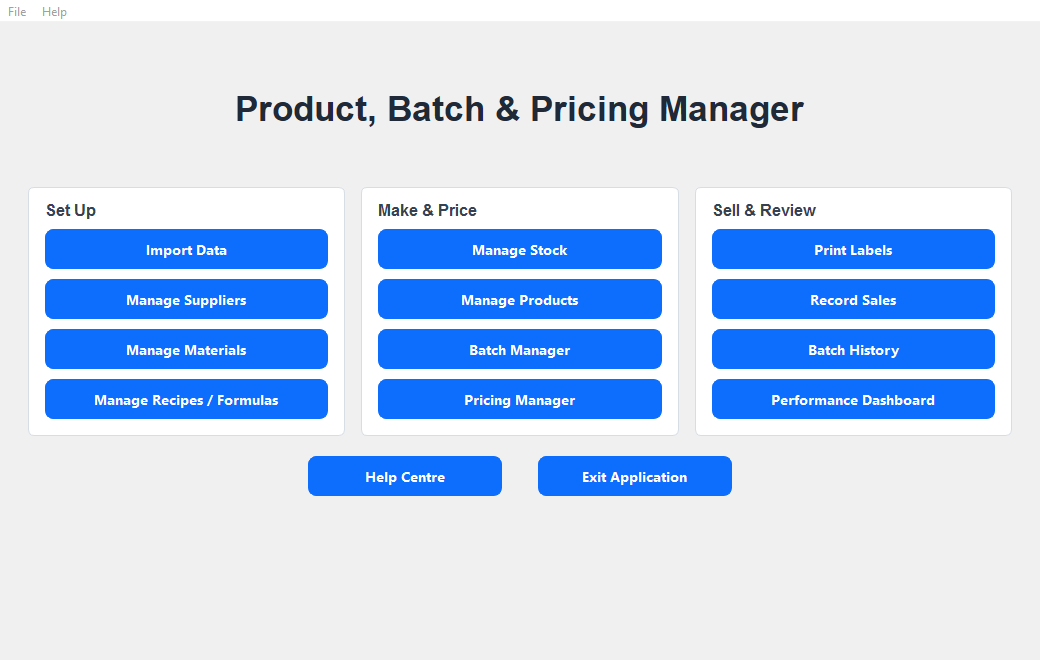
The complete Prodexa desktop program — suppliers, ingredients, stock, recipes, batches, costing, labels, sales and the dashboard. The full thing, free to use for 60 days.

No account needed No card to try it Works offline Your data stays on your PC Installs without admin

Windows 10 or 11 (64-bit) · about 79 MB · one-off £59 licence if you keep it.

The Prodexa main program screen

Installing Prodexa

What to expect on first install

Prodexa is brand‑new Windows software and is not yet code‑signed, so Windows and some antivirus tools don't recognise it yet. It is safe to install — here's what you may see and what to do.

1. The blue “Windows protected your PC” message

When you run the installer you may see a blue box saying “Windows protected your PC” (this is SmartScreen).

Click More info, then Run anyway. It appears only because the program is new and unsigned — normal for small independent software.

2. If antivirus flags it

Occasionally antivirus wrongly flags brand‑new programs (a “false positive”). If that happens, choose Allow, Keep or Restore, and/or add Prodexa to your exclusions.

If you'd rather be cautious, you can scan the file at virustotal.com first.

After the free trial

Keep it for a one-off £59 — or keep your data either way

Your 60 days

Prodexa runs free for 60 days from the day you first open it, with the full program. After that it becomes read‑only: you can still open every screen, view your data and export it — nothing is deleted.

Buying and entering your key

Click Buy licence and pay securely through Stripe. Your key is shown on screen straight after payment (and emailed — check your junk folder). In Prodexa, open the File menu, choose Enter licence key and paste it. It unlocks permanently on that computer.

Need help? If your key does not work, contact us with the email address you used to buy and we'll sort it out.